
Create Graph Sharepoint App
Create Sharepoint App
Login to your Microsoft Sharepoint site
Navigate to the this URL once you are logged into Microsoft Azure - https://portal.azure.com/#view/Microsoft_AAD_RegisteredApps/ApplicationsListBlade
Click Generate a Client ID and Client Secret. Copy the Client ID and Secret Value to clipboard, you will need this for the next section.
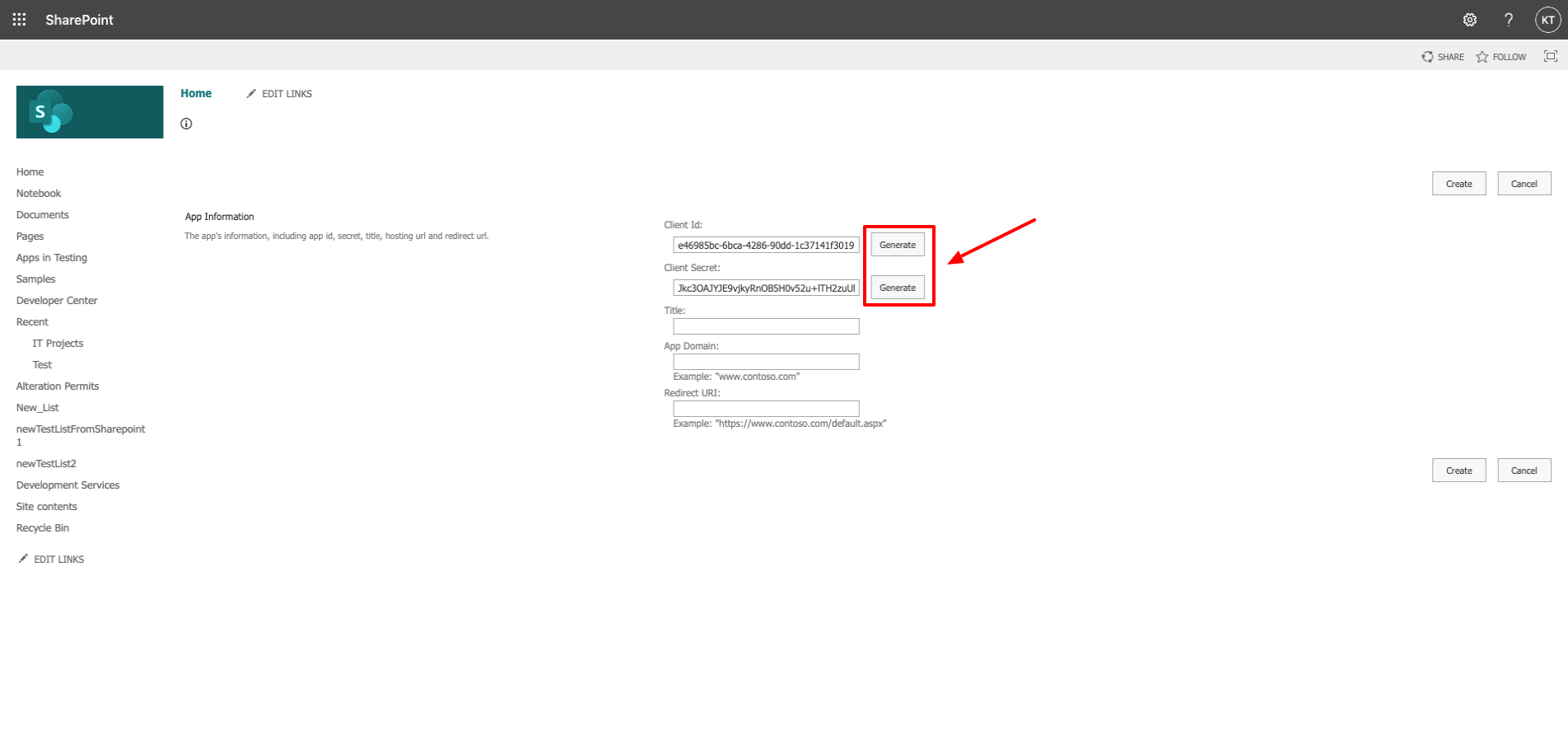
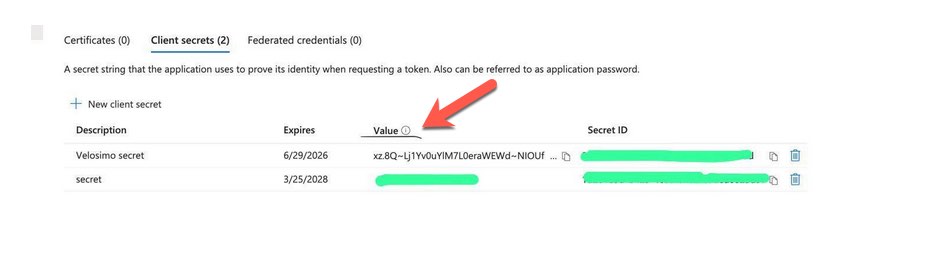
Note: Please copy the value as shown in this screen:
Enter ‘Velosimo’ into the Title field, 'connect.velosimo.io’ into the App Domain field, and ‘https://connect.velosimo.io/oauth/callback’ into the Redirect URL field
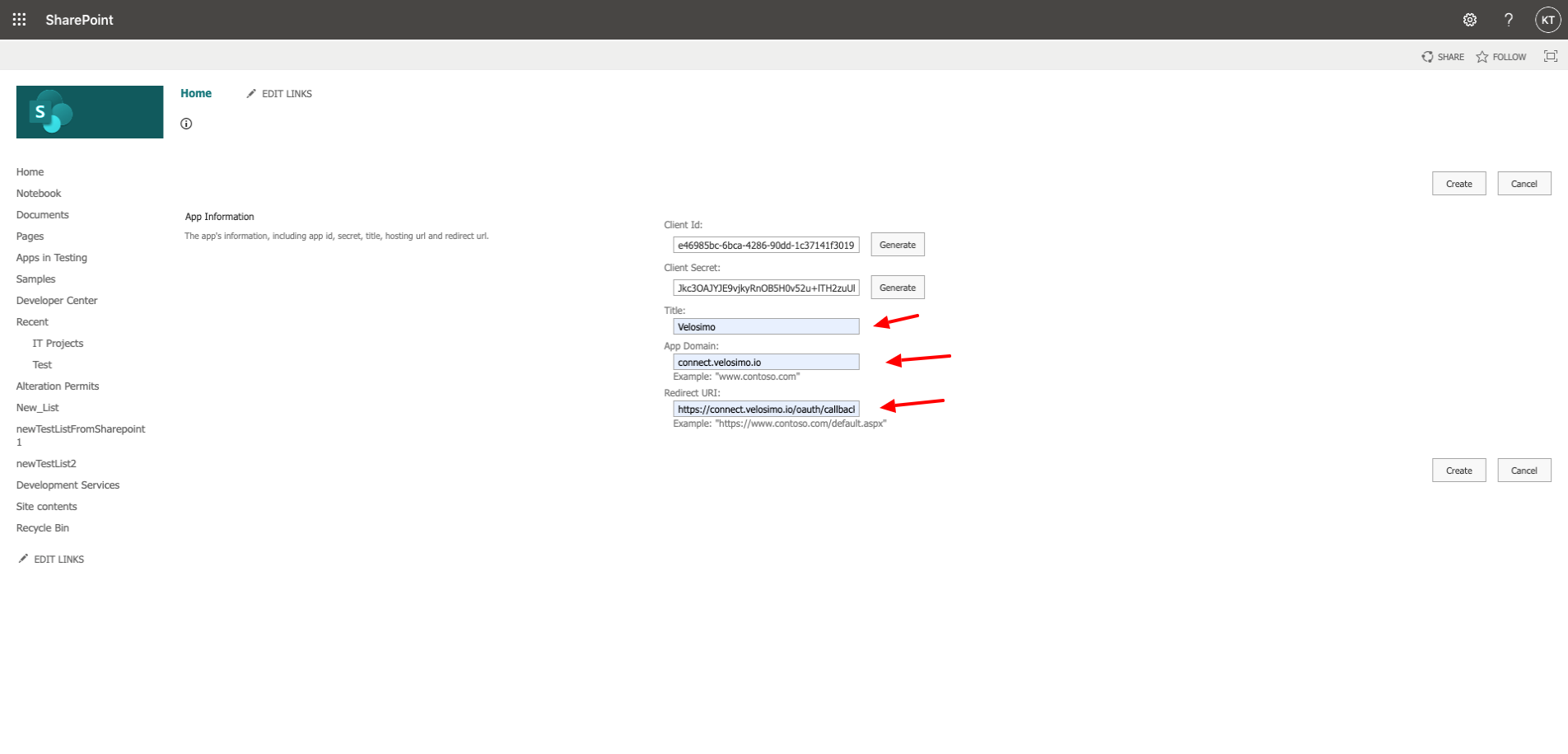
Click Create
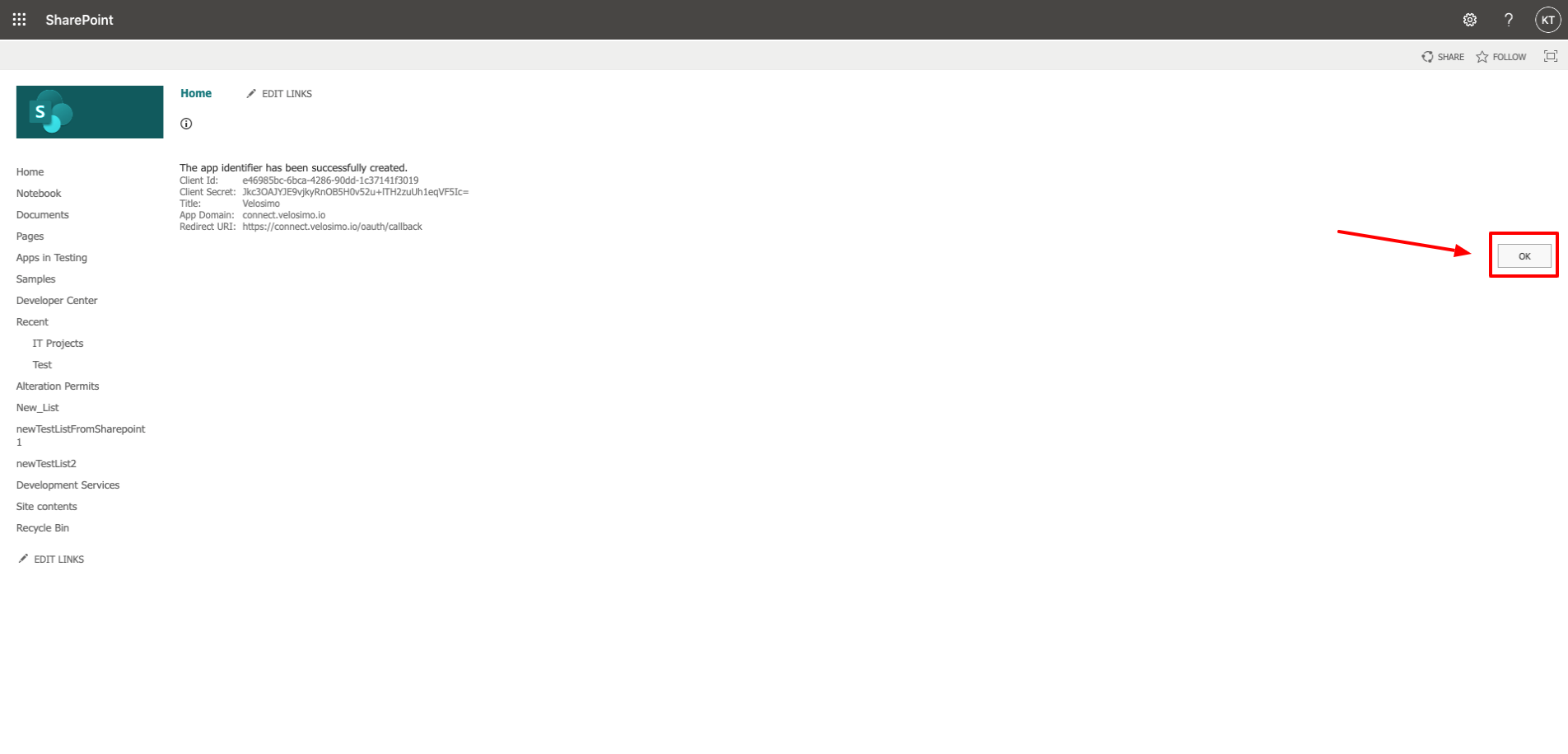
You will be redirected to this message screen after successfully creating the app. Click OK.
Grant App Permissions
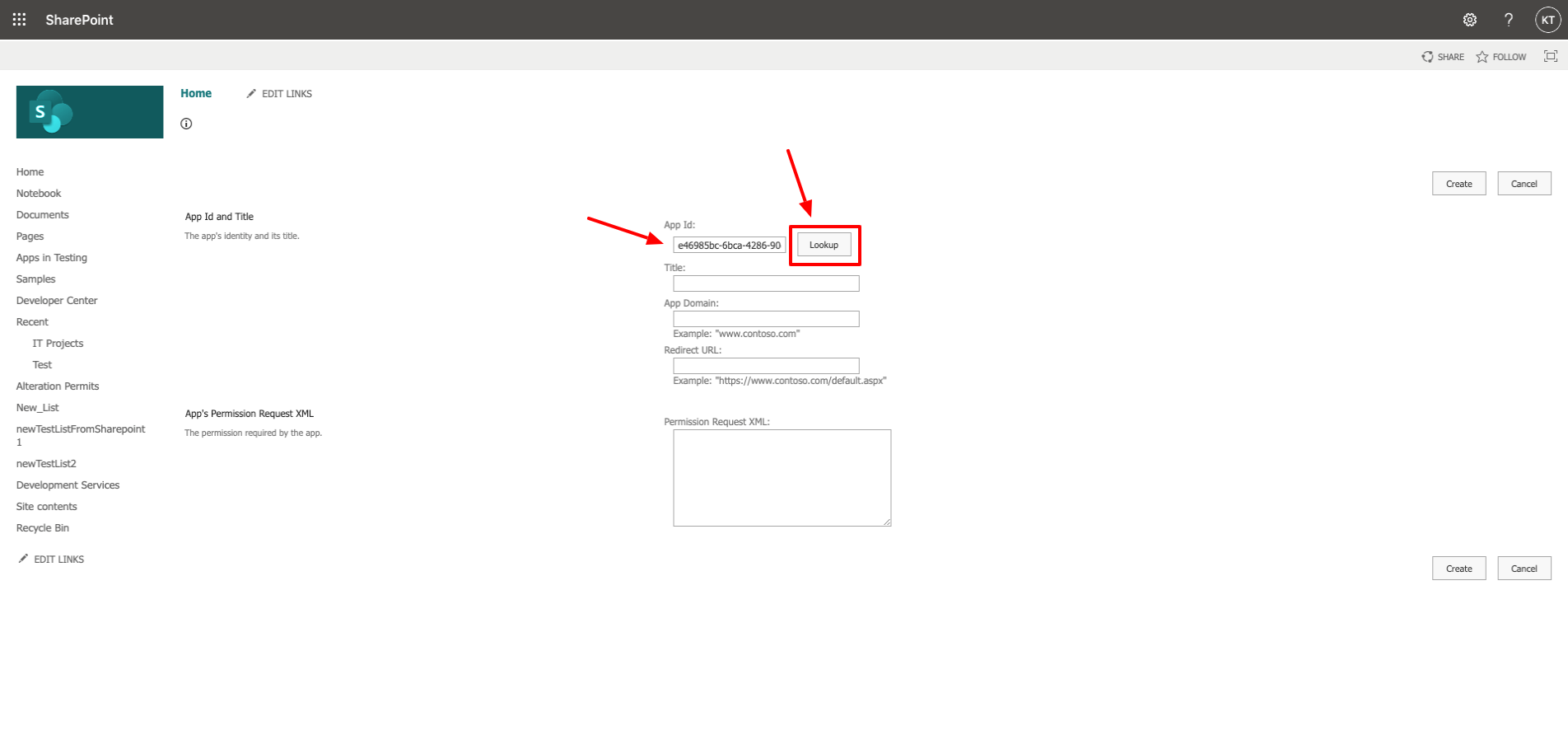
Redirect your browser to https://<your sharepoint>/_layouts/15/appinv.aspx
Paste the Client ID you generated in step 4 of the previous section into the App ID and click “Lookup”.
Copy & paste the following into the the Permission Request XML field
<AppPermissionRequests AllowAppOnlyPolicy="true">
<AppPermissionRequest Scope="http://sharepoint/content/sitecollection" Right="FullControl" />
</AppPermissionRequests>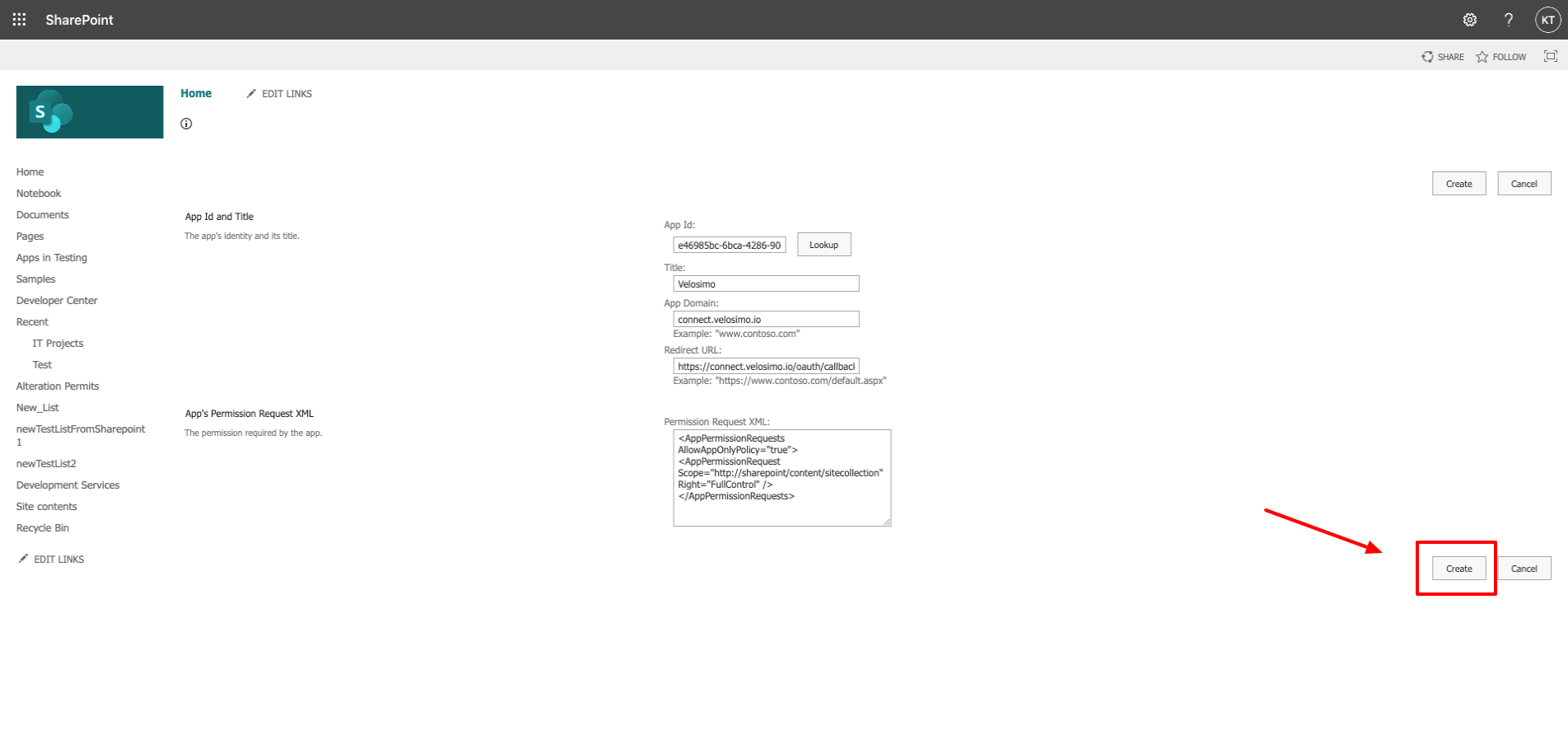
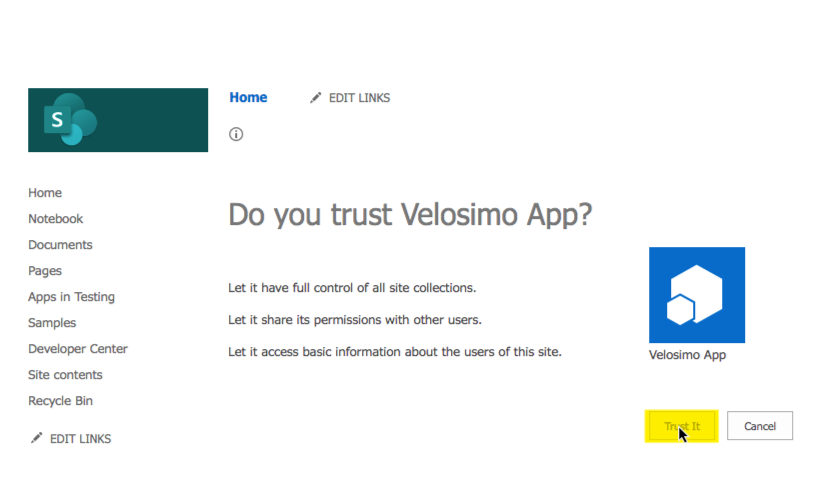
Next, the permission consent dialog displays. Click the Trust It button to grant the permissions.
On-Premise Network Settings
For on-premise Sharepoint deployments you will need to provide firewall access to the Velosimo Cloud's IP addresses 54.70.20.215, 35.164.131.175, 3.222.241.24.
Updated about 3 hours ago