
User Guide for Cityworks + Tyler Cashiering
Follow this steps after configuring Cityworks Tyler Cashiering
- To make a payment select Cityworks from the Payment Type list. Selecting Cityworks as the Payment Type will then display the case ID search forms. You can use the fields to search by Street Number and Street Name for any cases with invoices at that Address. The screenshot below illustrates searching for Records with invoices at 1 MANCHESTER.
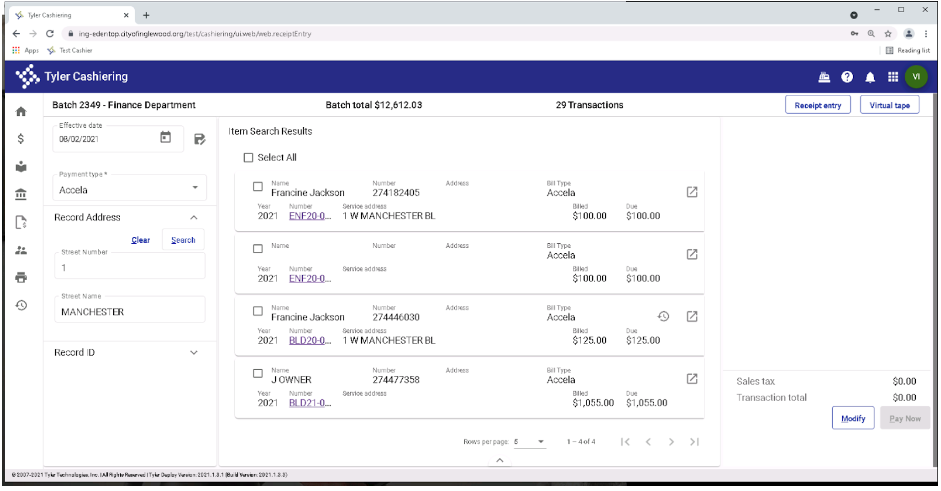
Items Search Results
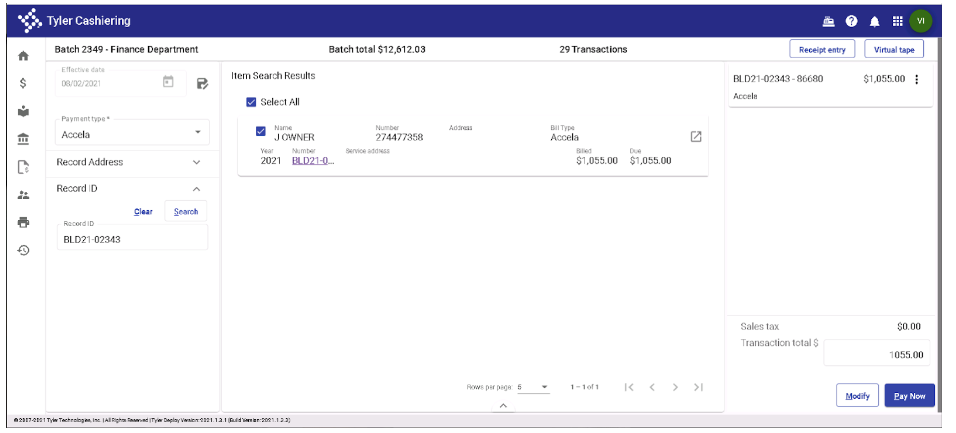
- Or you can use the RecordID field and search for a specific case to pay
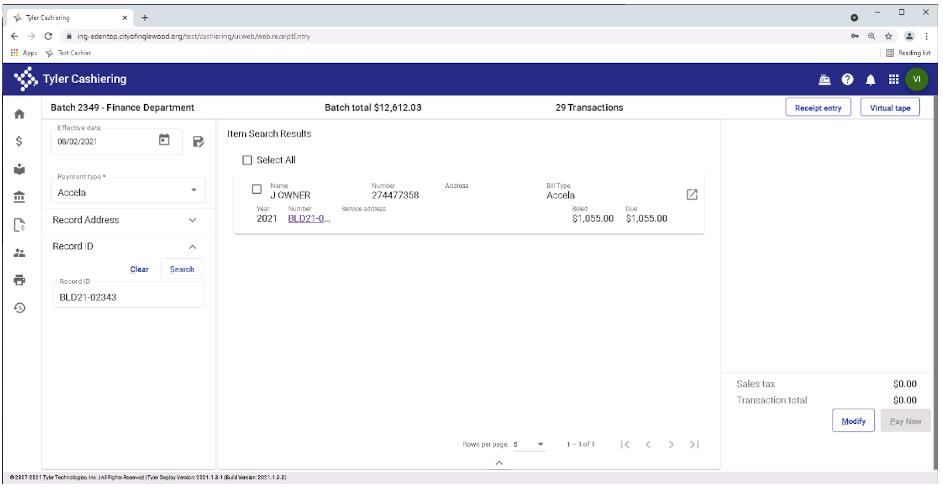
Item Search Results by case
- To see the Invoice Details click the Invoice Details link on the row
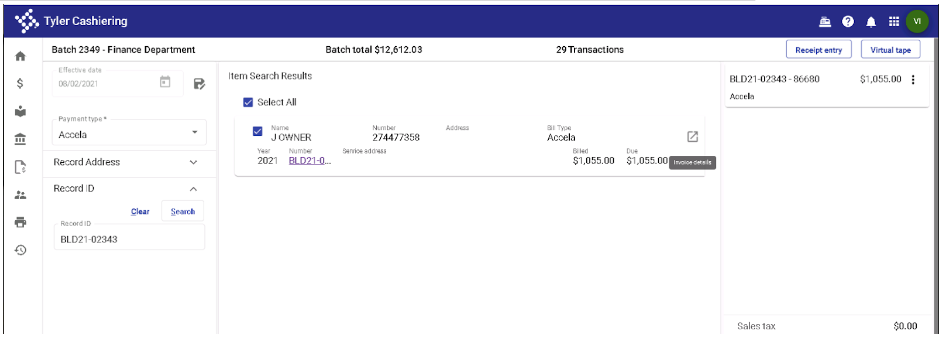
Invoice Details Icon
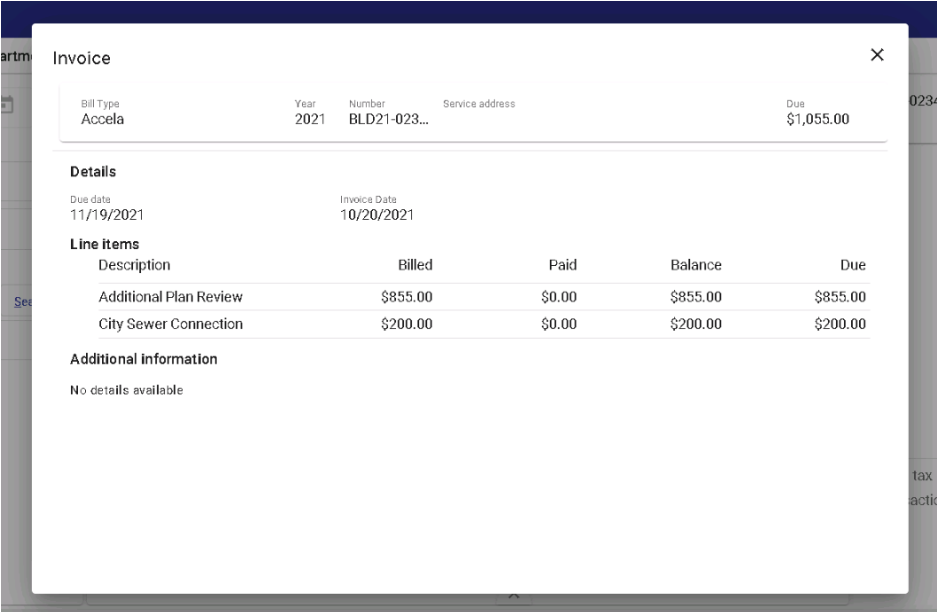
Invoice Details
- To make a Payment select the Records from the list you wish to pay and then click Pay Now. Click through the payment screens in Tyler Cashiering to completion.
- Once successfully paid for in Tyler Cashiering the Cityworks case is updated to reflect the payment.
Updated 6 months ago
Did this page help you?