
Accela - Stripe
Access your Stripe Dashboard
Navigate to dashboard.stripe.com and login.
Once logged in you should see your dashboard
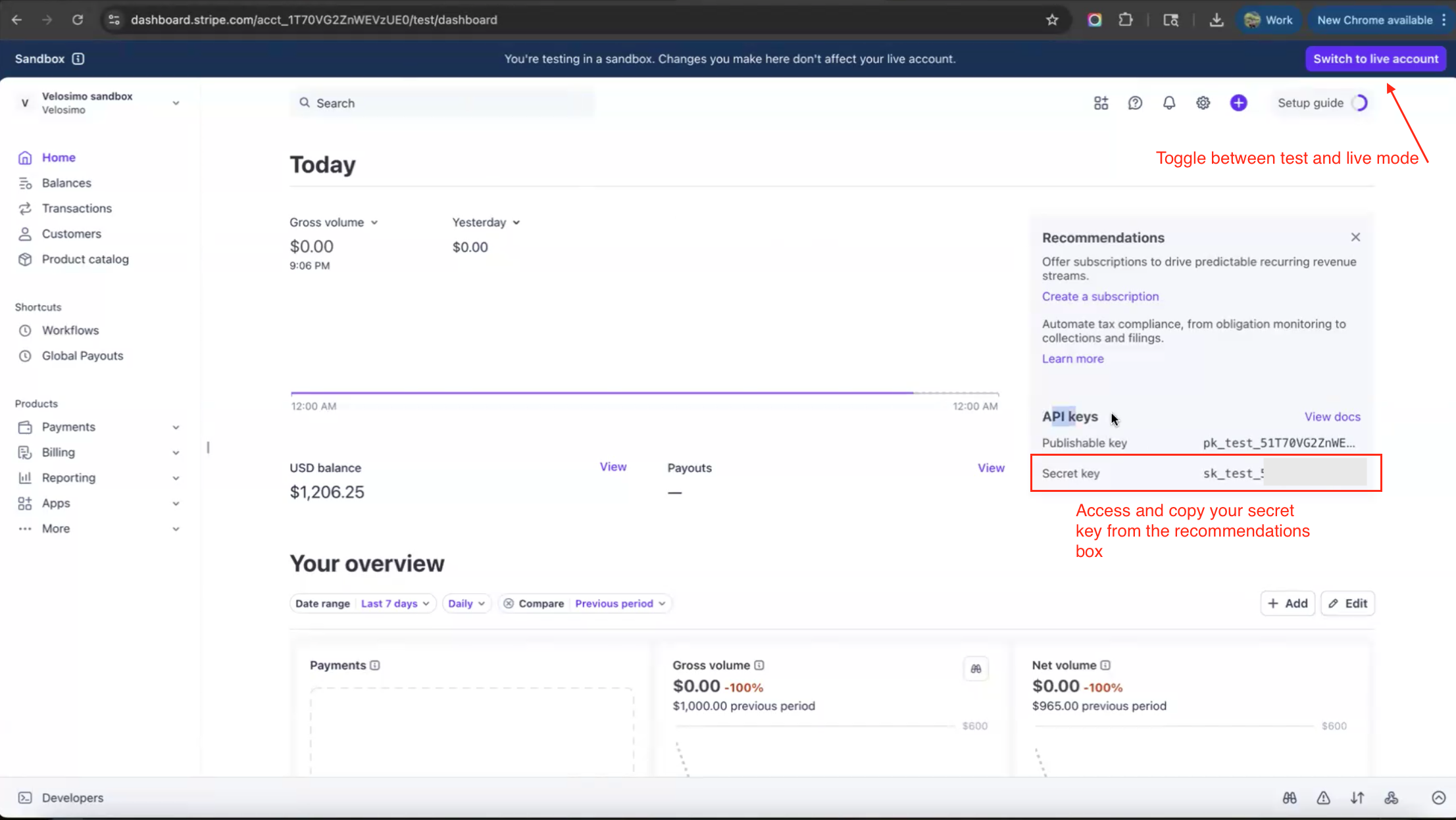
From your dashboard you should be able to toggle between your Test (Sandbox) and Live account
Access your secret key value
The secret key can be accessed and copied from the Recommendations box on your dashboard. If you don't see a Recommendations box or once you have your Secret Key, please contact your Velosimo Customer Success team member.
Setup and Configuration of Stripe
- From your dashboard, on the bottom left, select the Developers menu
- Then select Webhooks
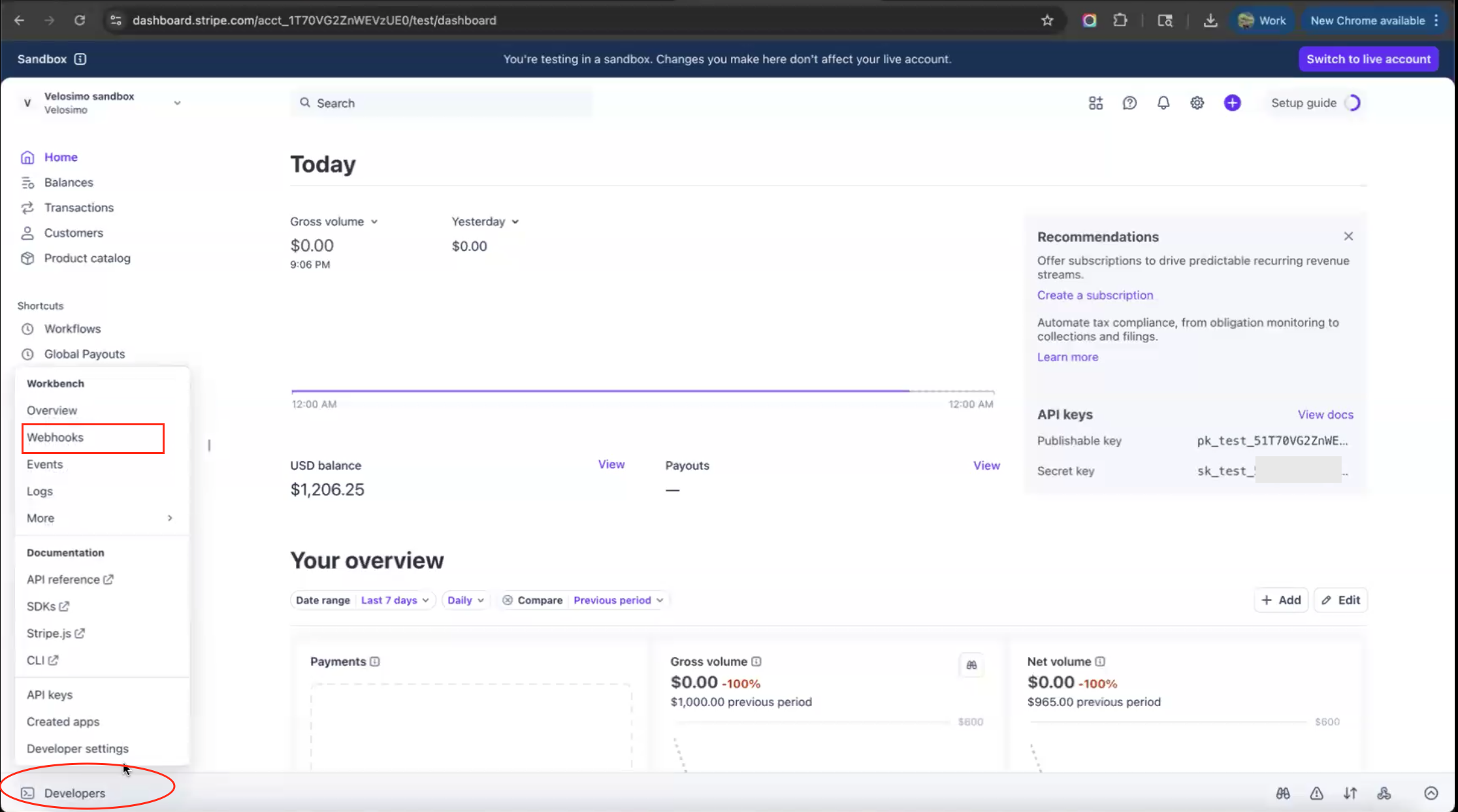
- Select Add Destination

-
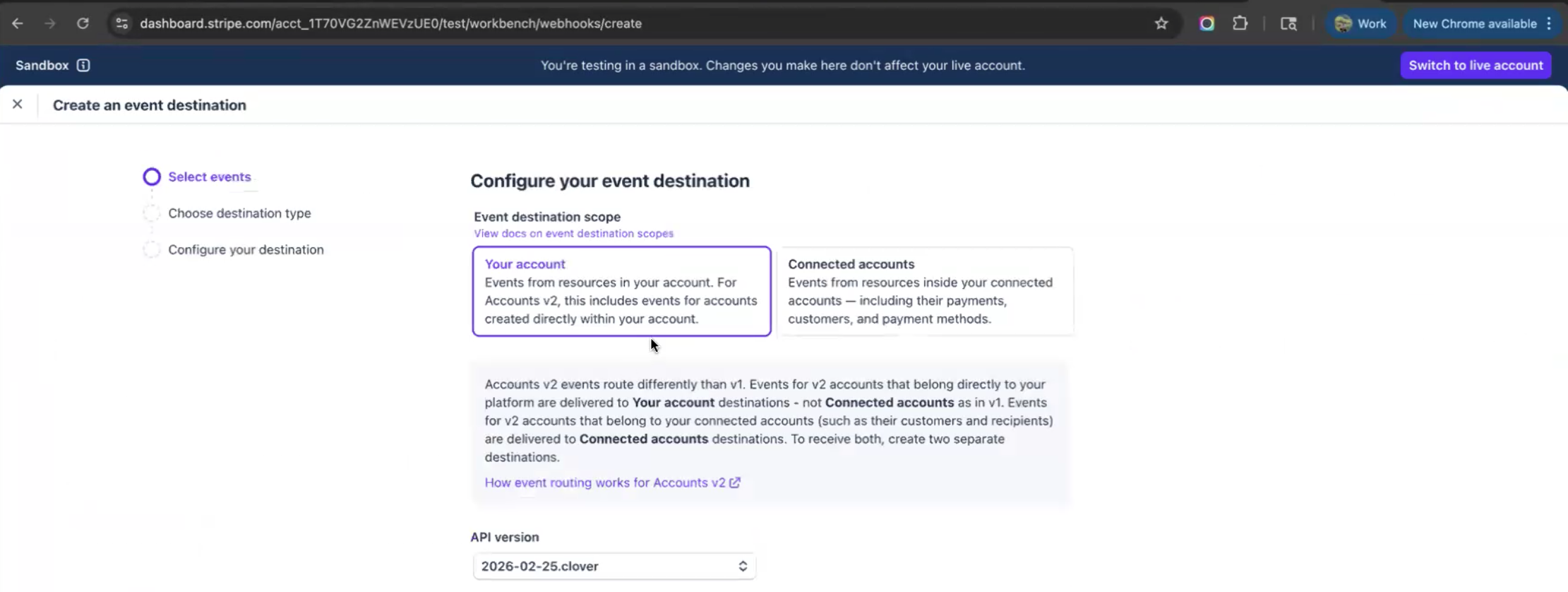
Configure your event destimation
- Select Your account
- Leave the pre-populated API version
-
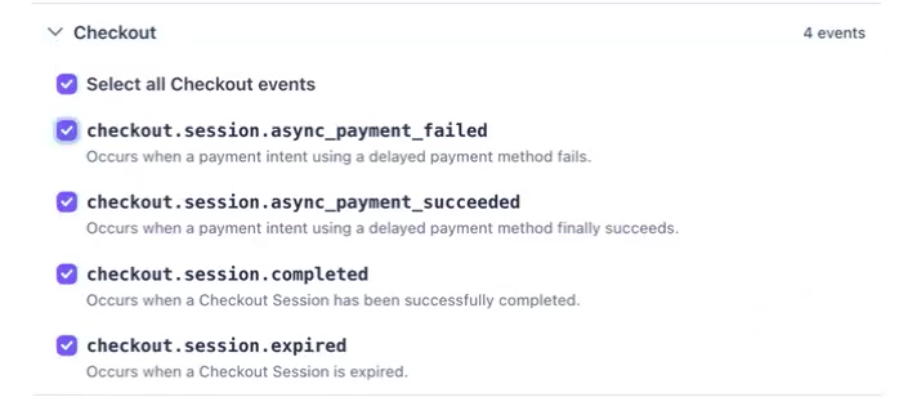
Select the following events under Checkout
- Select Continue
- Select Webhook endpoint
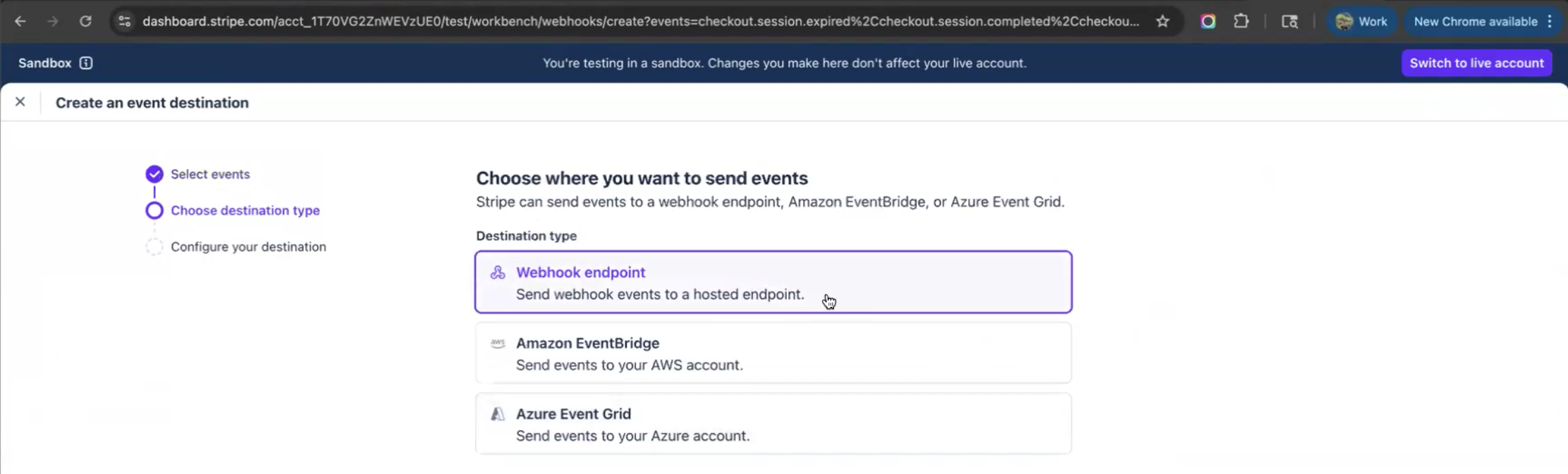
- Select Continue
- Enter the Endpoint URL provided to you by your Velosimo Customer Success team member. You can also enter a name and description
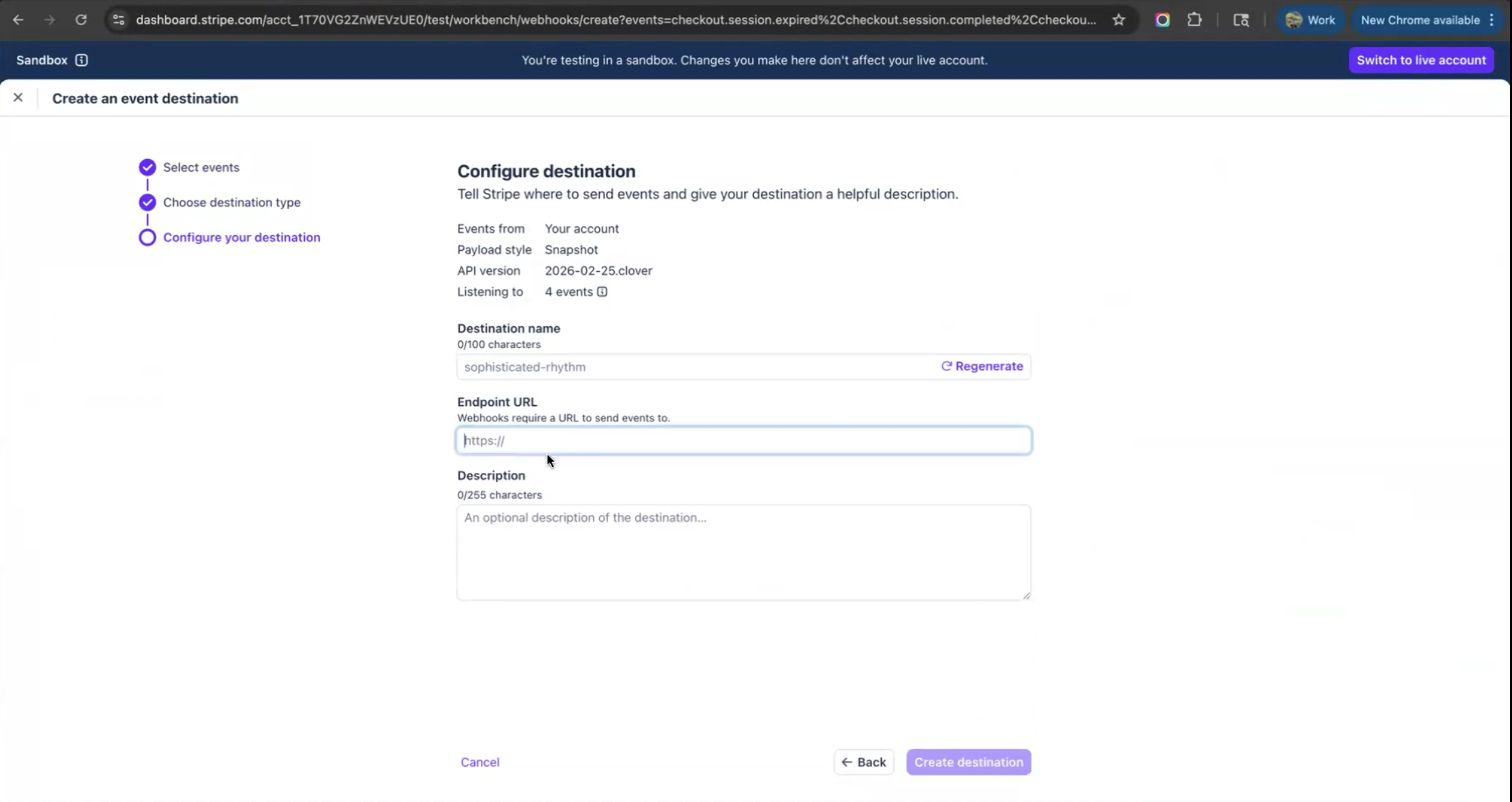
- Select Create destination
Updated 5 months ago
Did this page help you?