
Register App on Microsoft Azure
Microsoft Azure App Registration
Login to Microsoft Azure
Search App Registrations in the Search Bar:
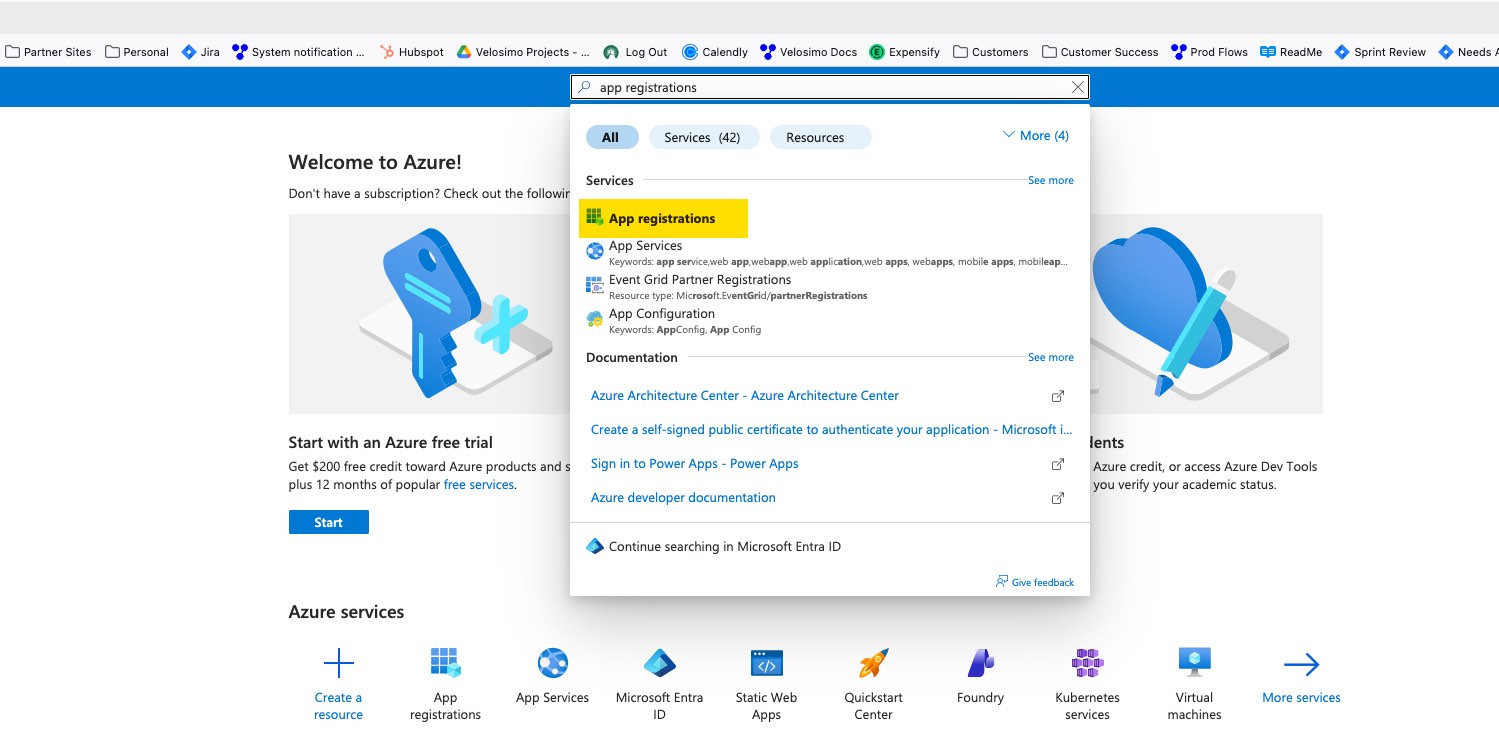
Click New Registration
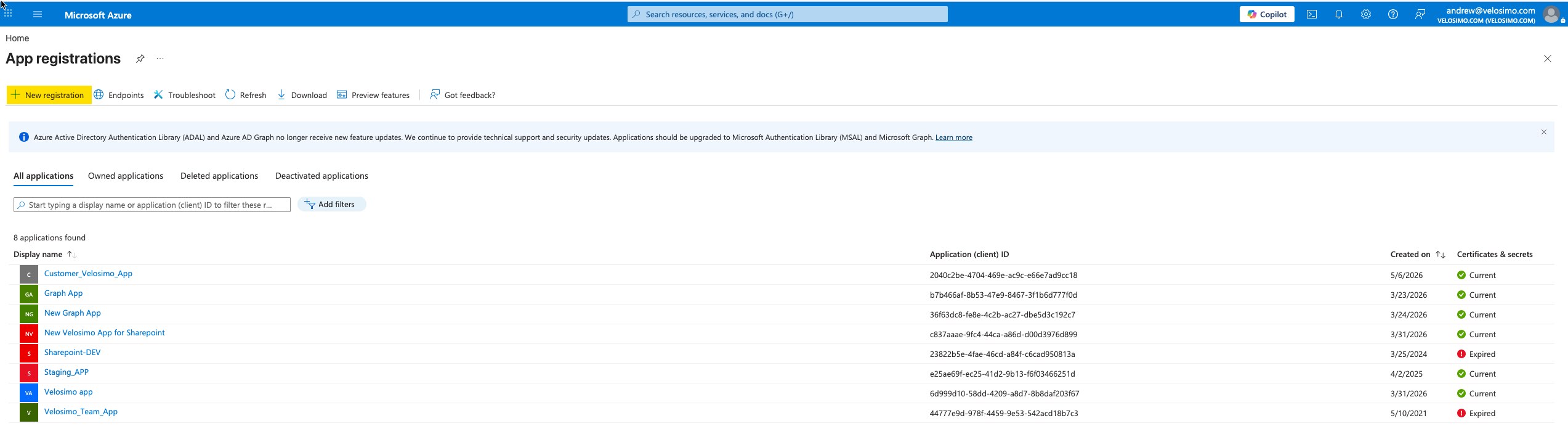
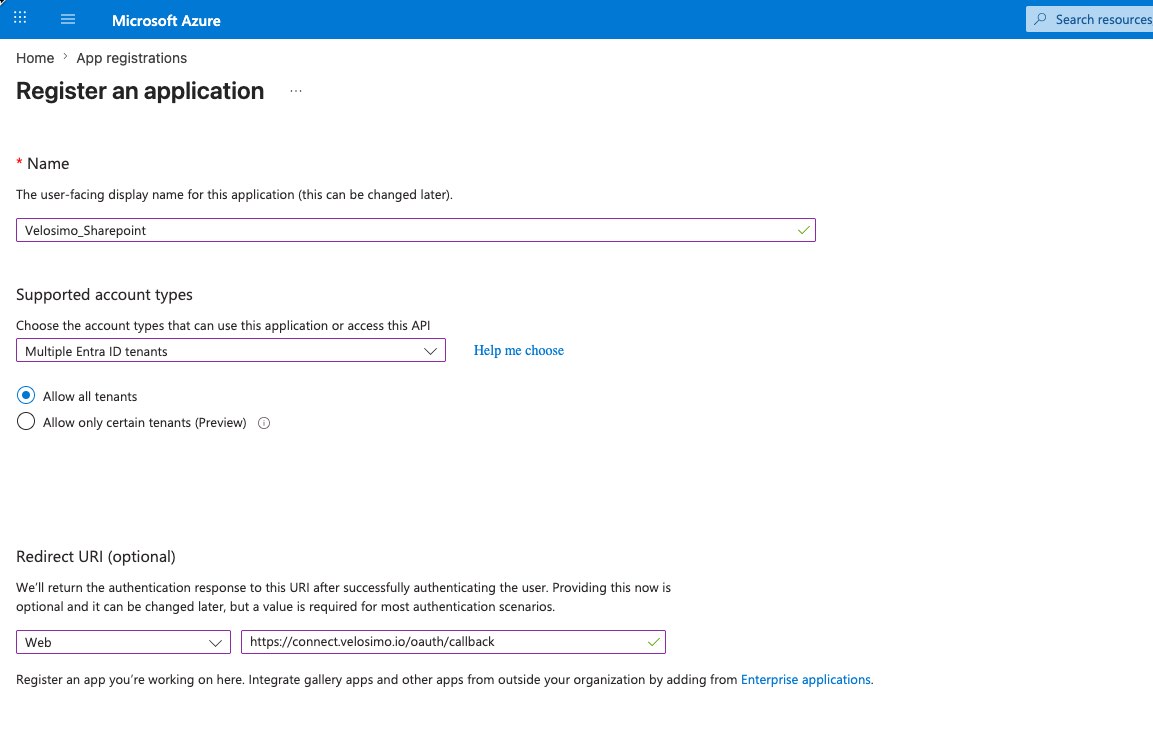
Enter ‘Velosimo’ into the Title field
For Supported Account Types:
Select Multiple Entra ID tenants from the drop-down-list
Select Allow All tenants
Enter ‘https://connect.velosimo.io/oauth/callback’ into the Redirect URL field
Click Register
You will be redirected to App Management screen:
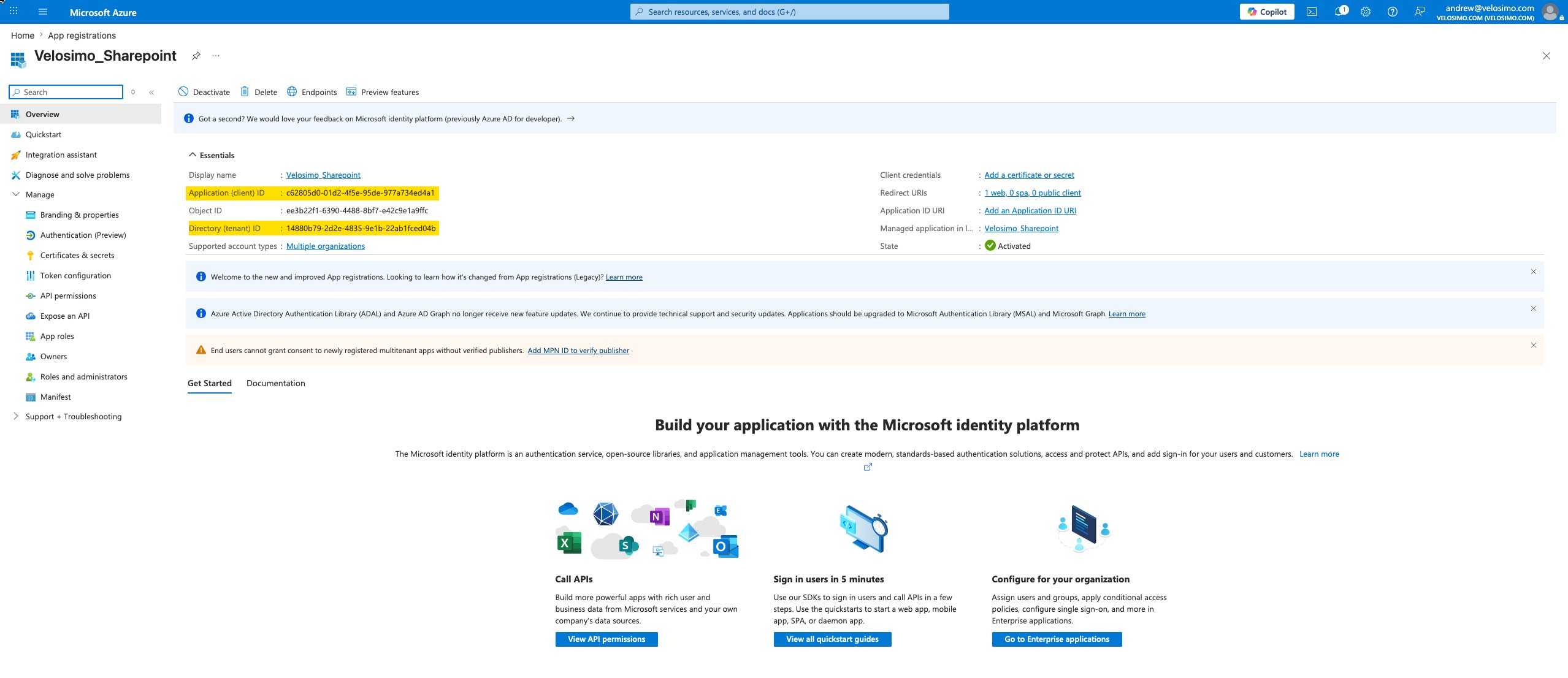
Create Authorization Information Document
Create a text document that can be used to track the tenant/clientID/secret required for authorizing the Velosimo connector.
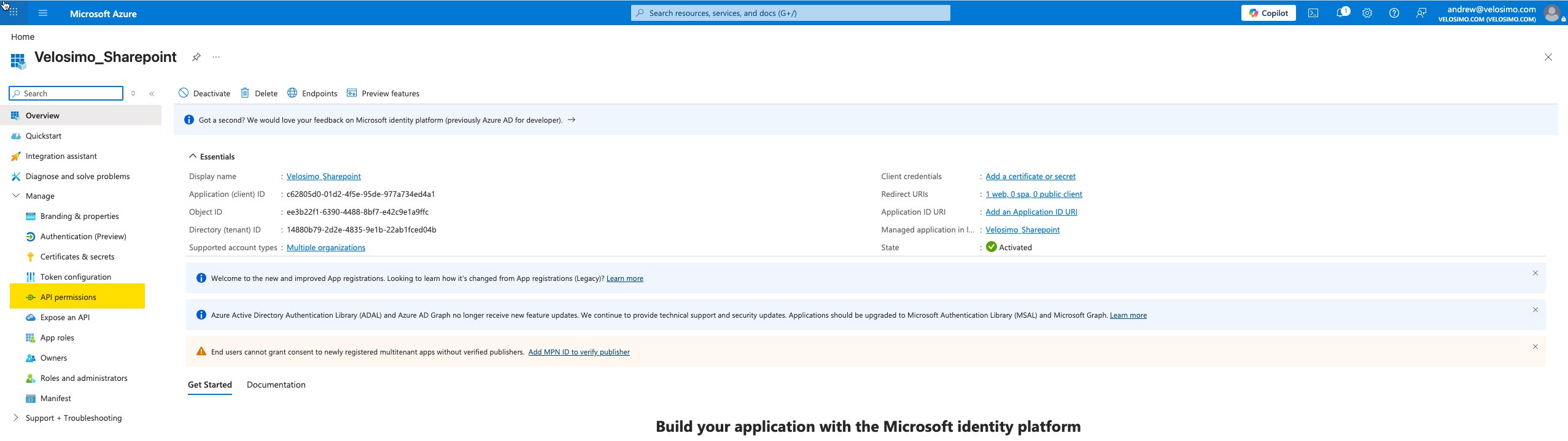
Copy and paste the Client ID and Tenant ID (highlighted in the screen above) into the text document.
Allow Access to Sharepoint
Click on API Permissions in the Manage menu on the left side of the screen:
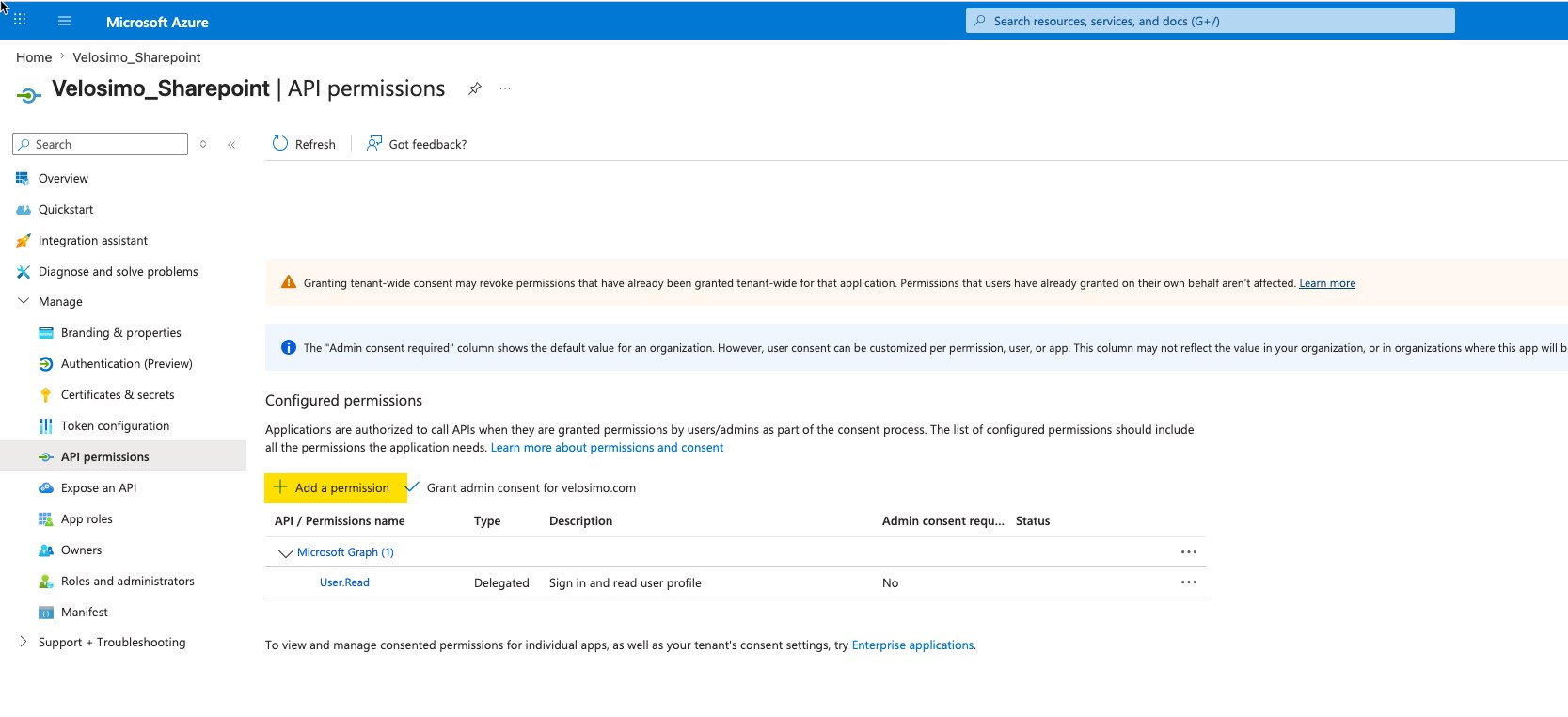
Click Add a Permission
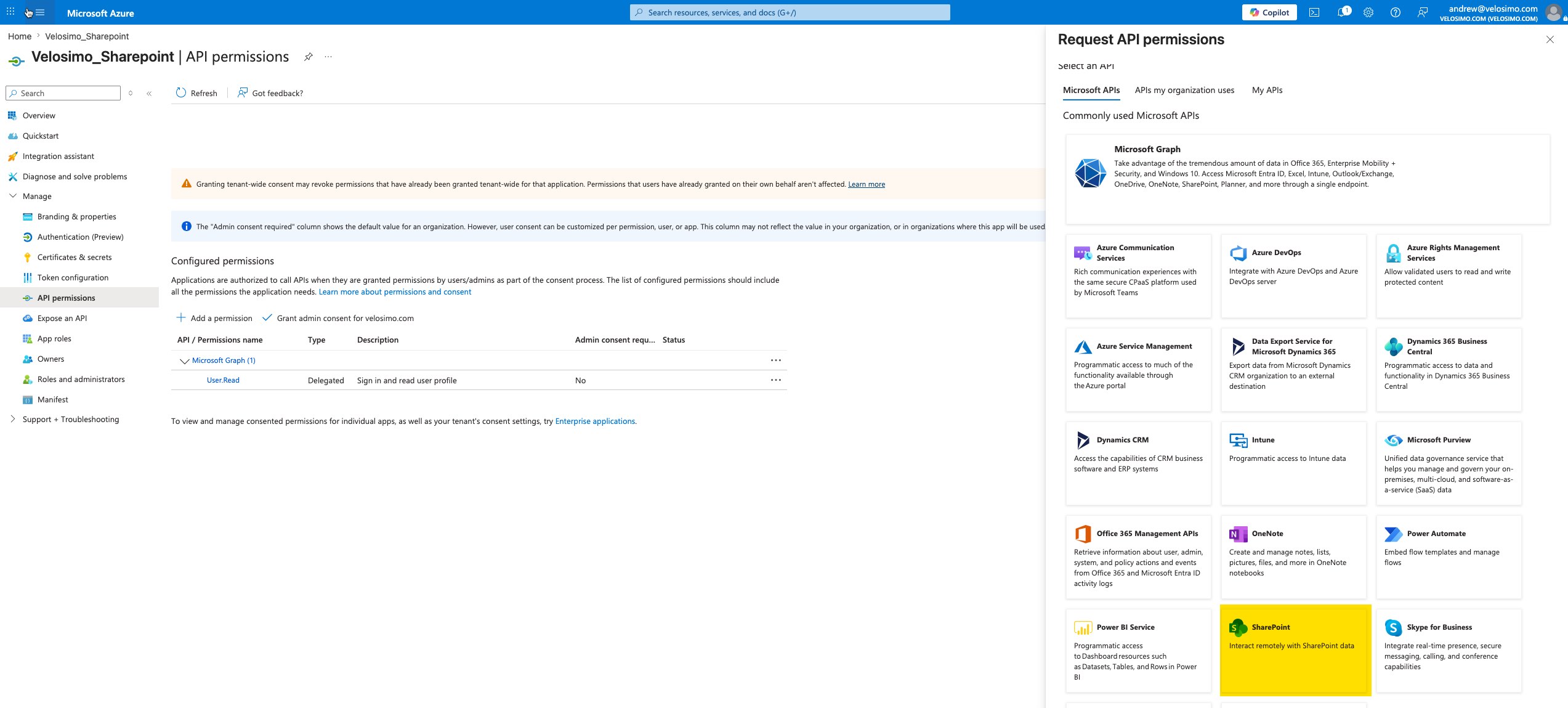
Select Sharepoint from the listed APIs
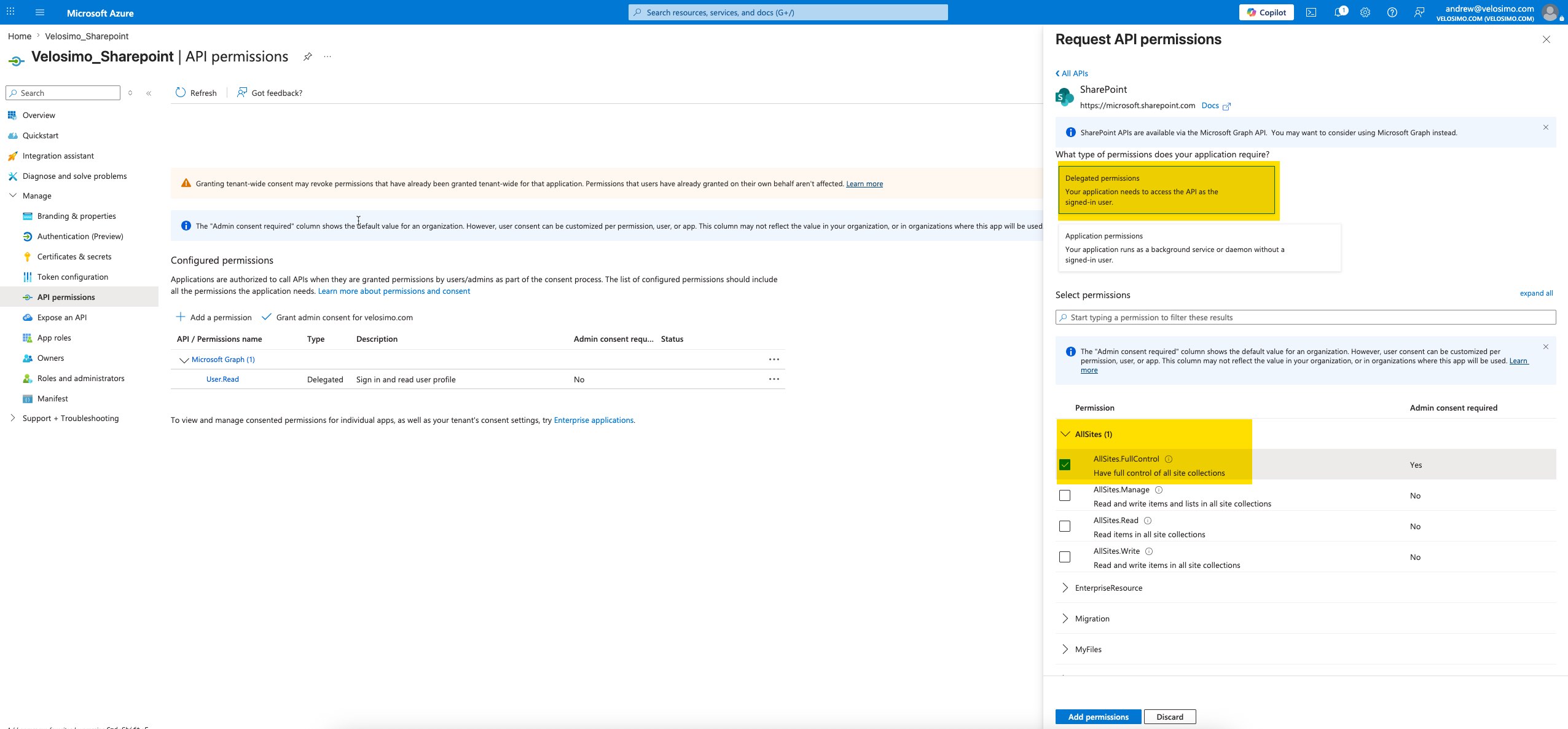
Selected Delegated Permissions on the next screen - Then select the appropriate Site and Security Access. Write Access is required to post content to Sharepoint. Click Add Permissions to finish adding permissions.
Generate Secret Value
Click on Certificates and Secrets
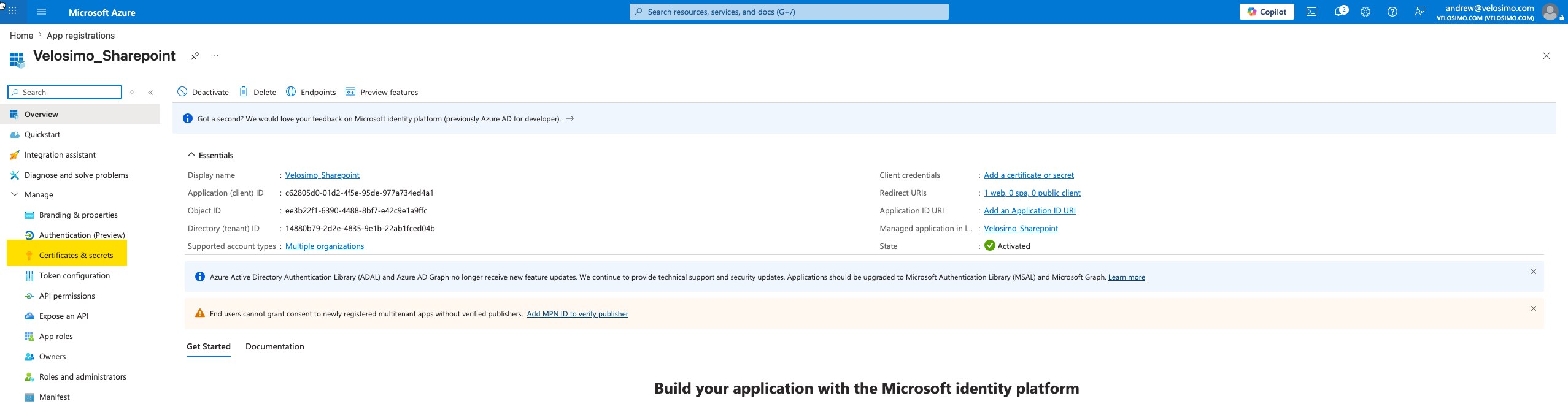
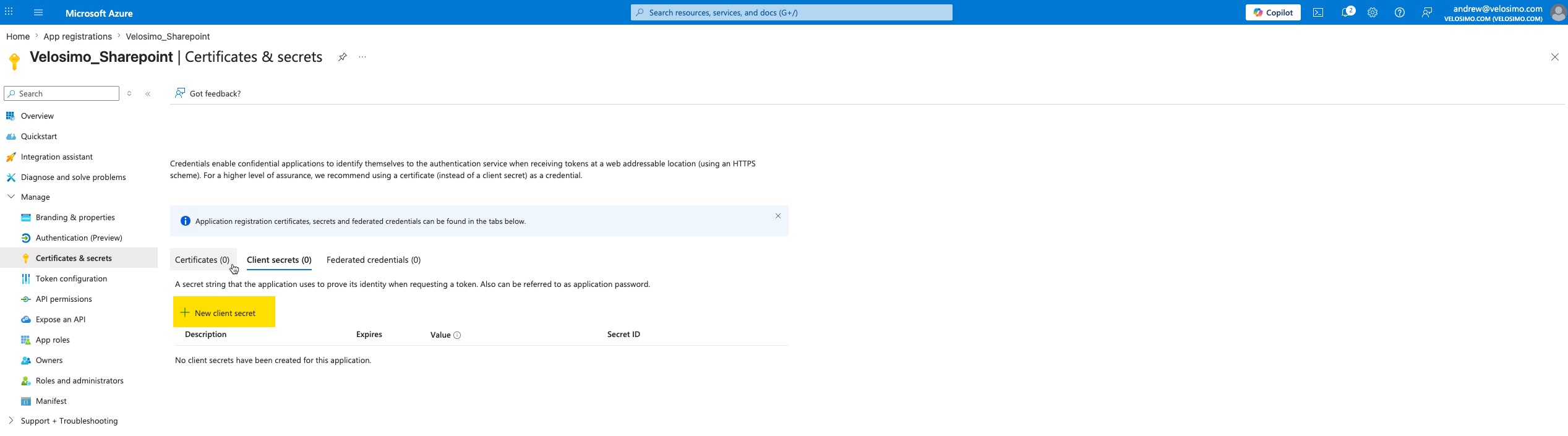
Click on New Client Secret
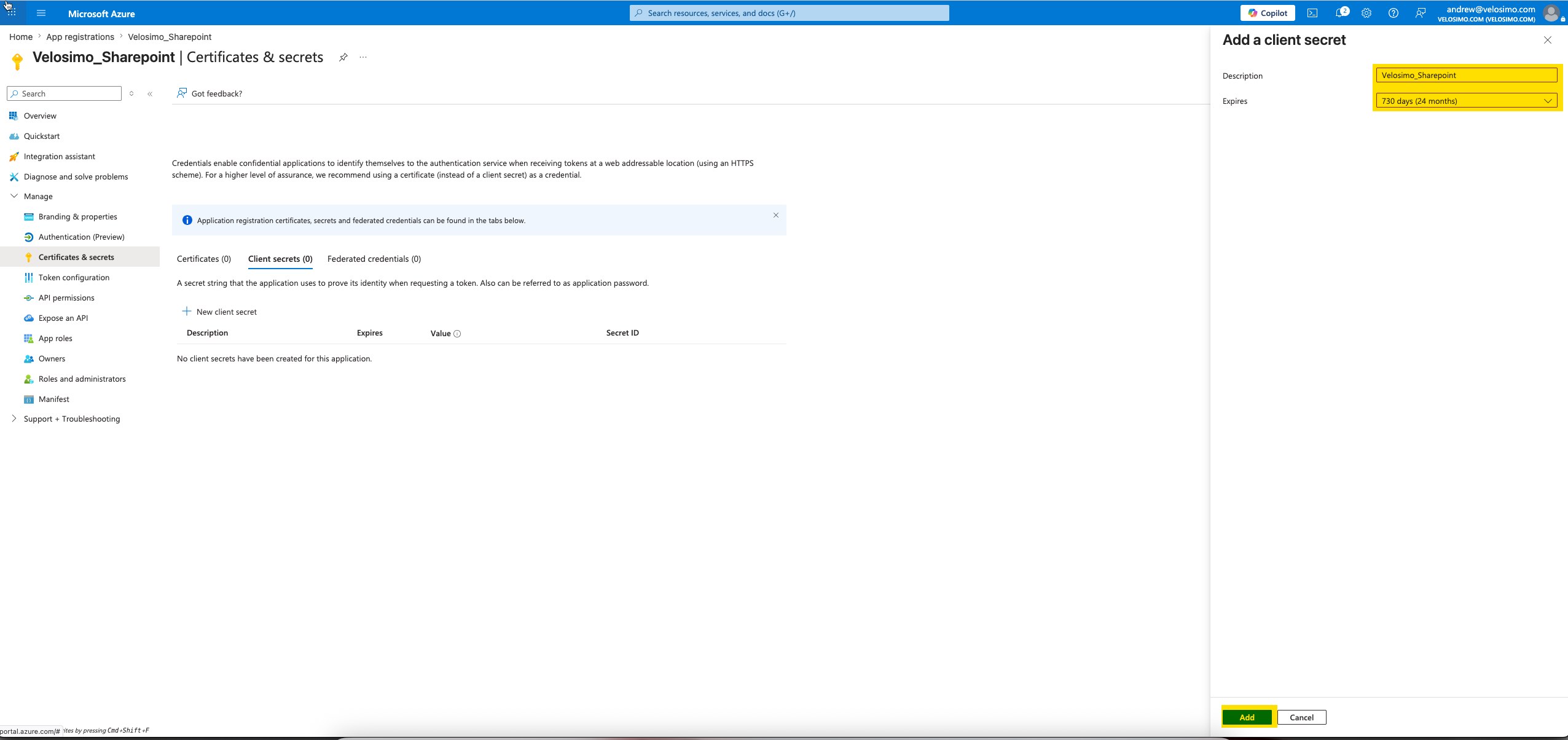
Enter a name and select and expiration timeframe. Click Add to Complete
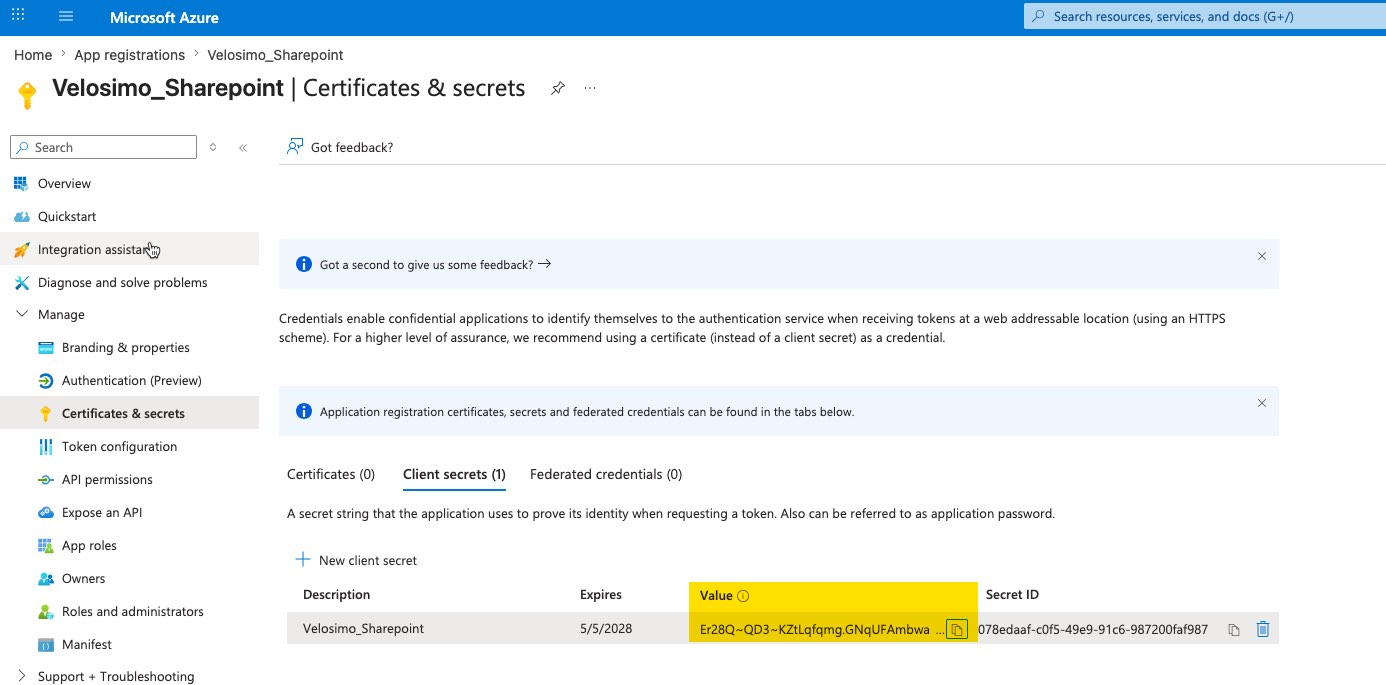
COPY THE "VALUE" INTO THE TEXT DOCUMENT CREATED ABOVE - it is required for the Velosimo authorization.
Updated 5 months ago