
Authorizing Tyler Munis - Procore
This article covers the one-time steps that connect your Velosimo tenant to Procore and Tyler Munis. These steps are completed by a connector administrator in Velosimo Connect Admin.
Open Authorizations
- Open your browser in Incognito mode.
- Go to admin.velosimo.io and sign in with your Velosimo administrator credentials.
- In the left menu, go to Integrations → Authorizations.
The Authorizations page lists each system your tenant connects to. The connector uses three of them:
| Authorization | Type | Used for |
|---|---|---|
| PROCORE | OAuth2 | Your Procore Production environment (api.procore.com) |
| PROCORE SANDBOX | OAuth2 | Your Procore Sandbox environment (sandbox.procore.com), for testing |
| TYLER MUNIS | Basic | Your Tyler Munis instance |
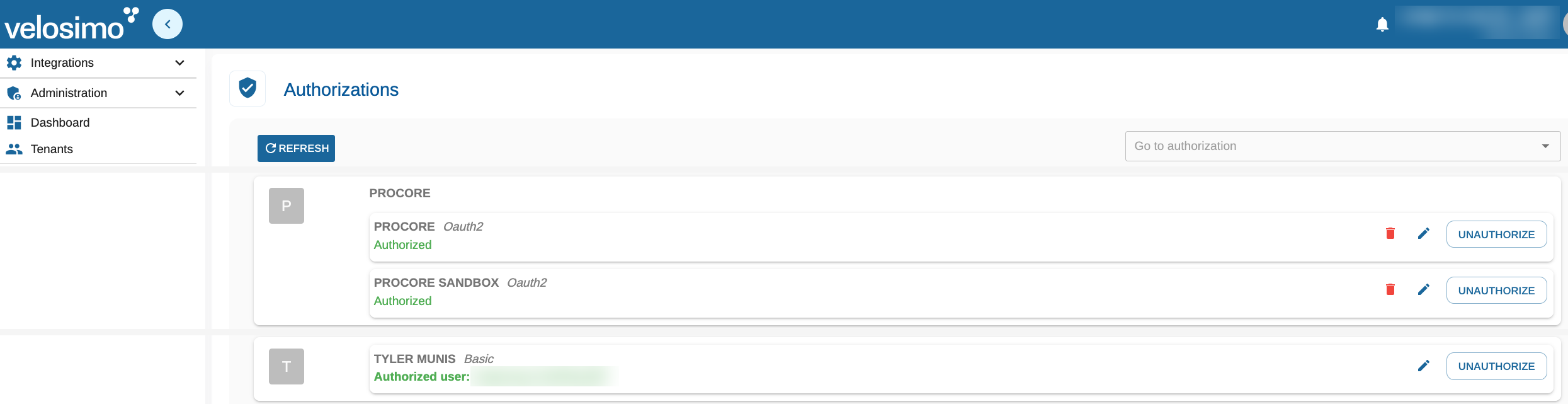
Procore, Procore Sandbox, and Tyler Munis authorizations in Velosimo Connect Admin
Authorize Procore
Authorize each Procore environment you plan to use. Most agencies authorize both Production and Sandbox, so projects can be tested in Sandbox before going live.
- On the PROCORE (or PROCORE SANDBOX) row, click Authorize.
- You are redirected to Procore. Sign in with the Procore account the connector should use and allow access for the Velosimo app.
- When you are returned to Velosimo, the row shows Authorized and the button changes to Unauthorize.
- Repeat for the other Procore environment if needed.
AuthorizationsThe button on each row shows its current state: Authorize means the endpoint is not connected yet; Unauthorize means it is connected. Click Unauthorize to disconnect an environment.
Tyler Munis authorization
Velosimo sets up the TYLER MUNIS authorization for you as part of onboarding. It appears on the Authorizations page as a Basic authorization with its authorized user. Contact your Velosimo representative if you need to change the Munis environment or the integration user.
Next steps
Once Procore and Tyler Munis both show as authorized:
- Create a budget code mapping profile.
- Set up each Procore project. When users open the Velosimo Connector app in Procore, they connect it to these authorizations and choose Production or Sandbox. See the User Guide for Tyler Munis + Procore.
Updated 20 days ago