
Secure Acceptance Setup and Configuration
Pre-requisites
- Cybersource account with Test and Production access
Open Notepad
Prepare to copy the following information from Cybersource admin into Velosimo Settings
- Merchant ID
- Profile ID (per profile used)
- Access Key (per profile used)
- Secret Key (per profile used)
- API Key (per terminal)
- Shared Secret Key (per terminal)
Login to the Cybersource Portal
- Collect the Agency Merchant-ID value
- Go to Secure Acceptance Settings. If an existing profile is to be used, view the profile to retrieve the Profile ID, Access Key, and Secret Key. Create a new profile as needed using the New Profile button.
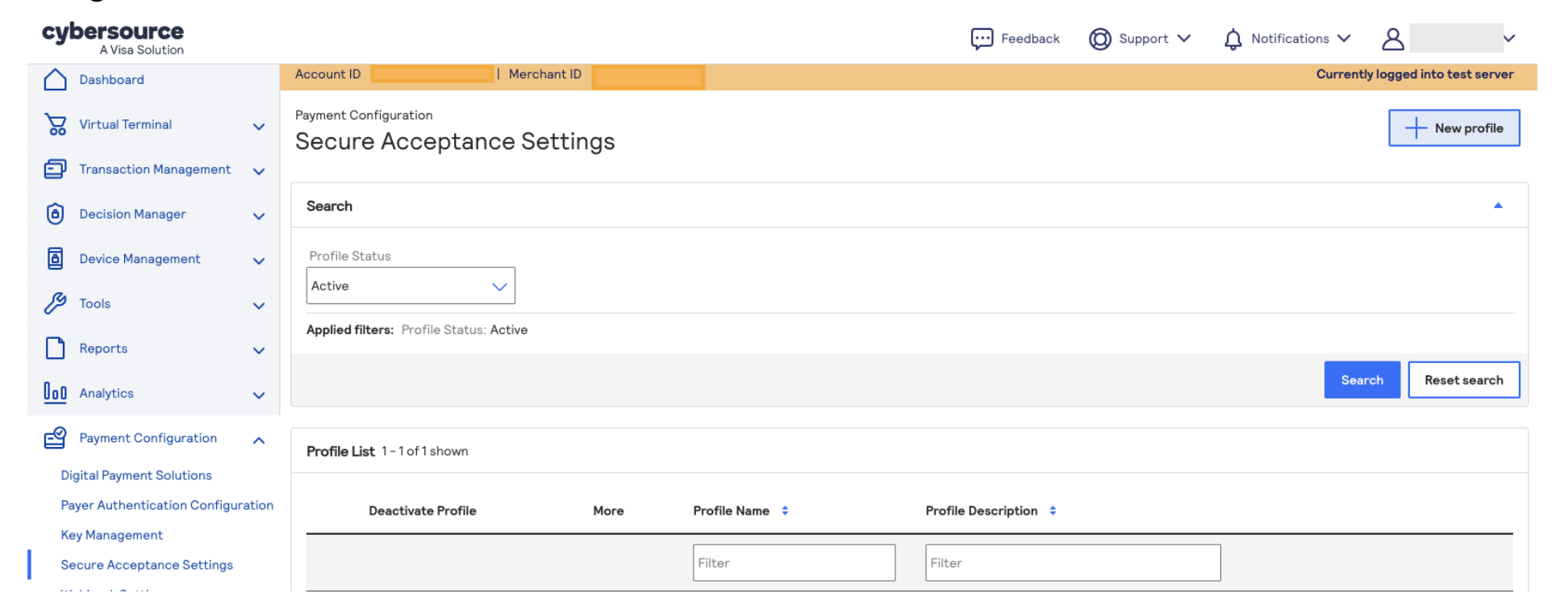
- Once created, copy the Profile ID value to the notepad to be used in the Velosimo Admin at a later time
- Go to the Security tab of the Profile and generate a new security key by clicking Create key
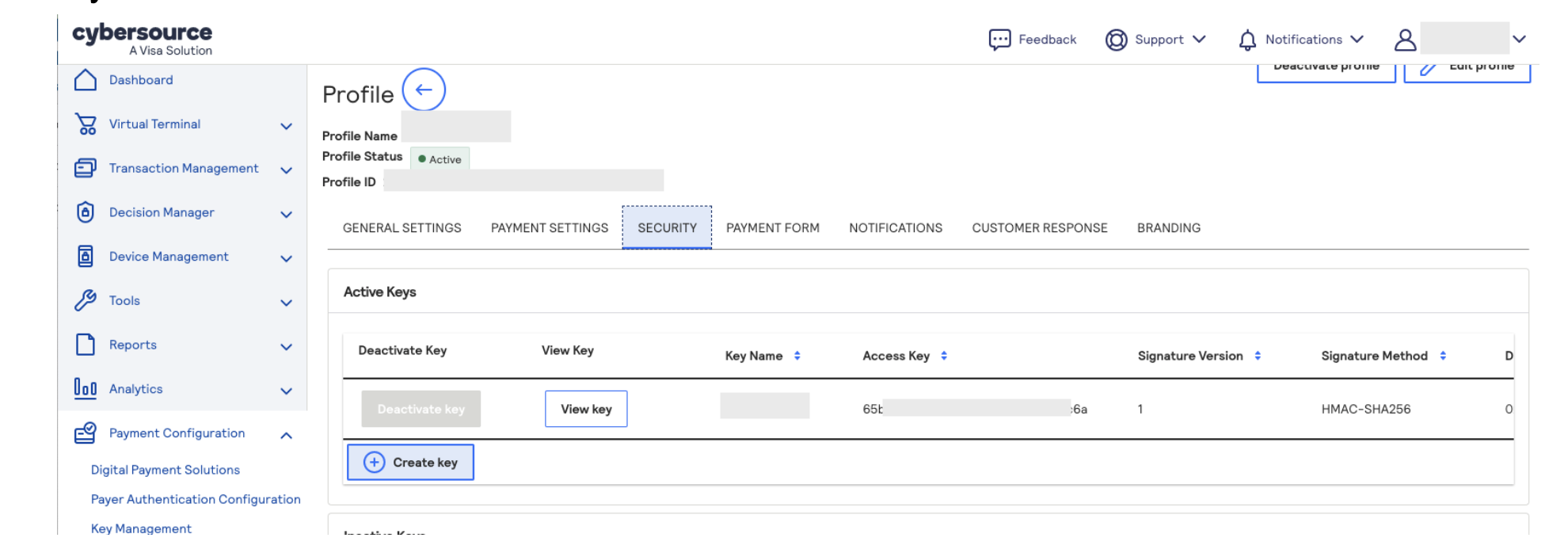
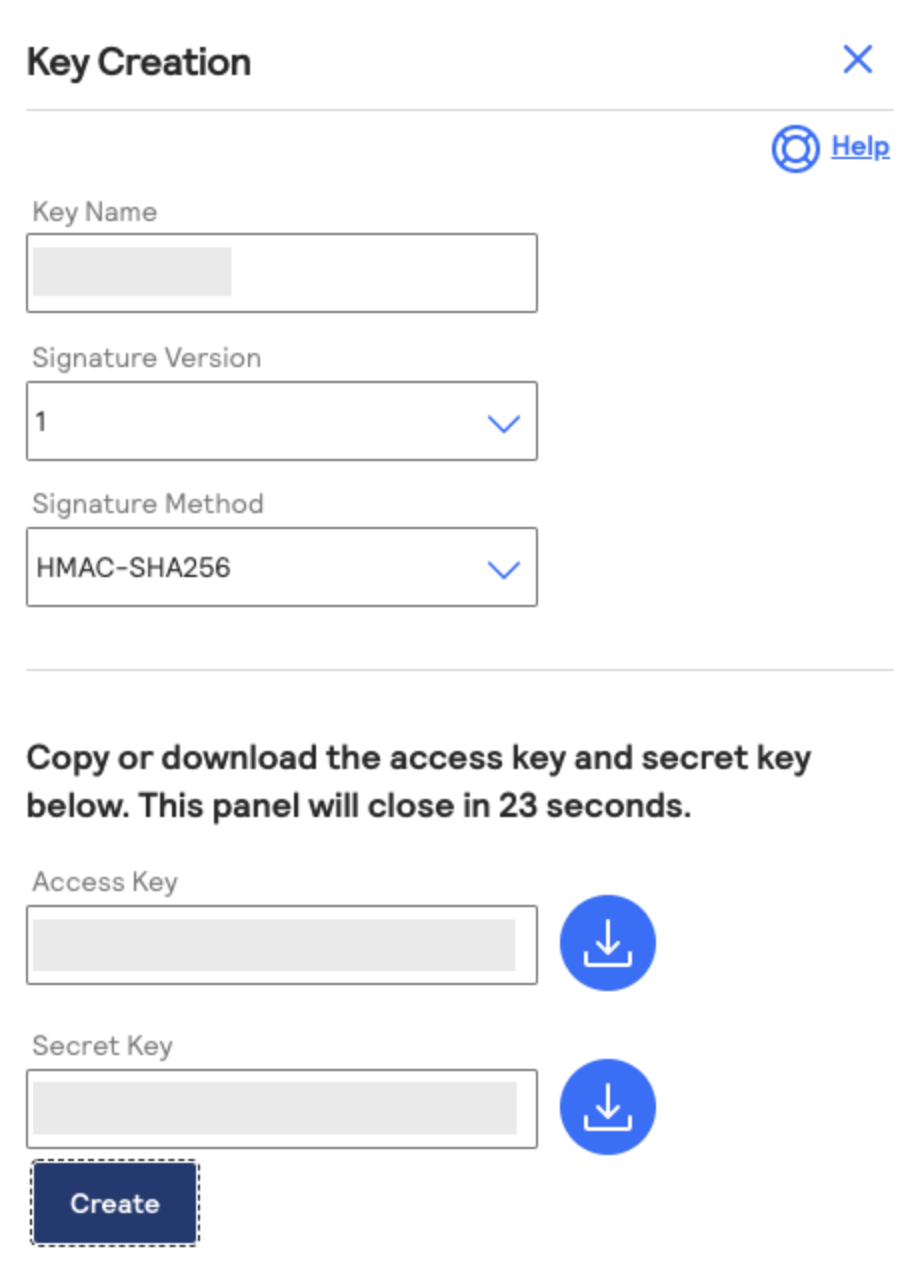
- Copy the Access Key and Security Key values and enter them in the notepad document for us in Velosim Admin.
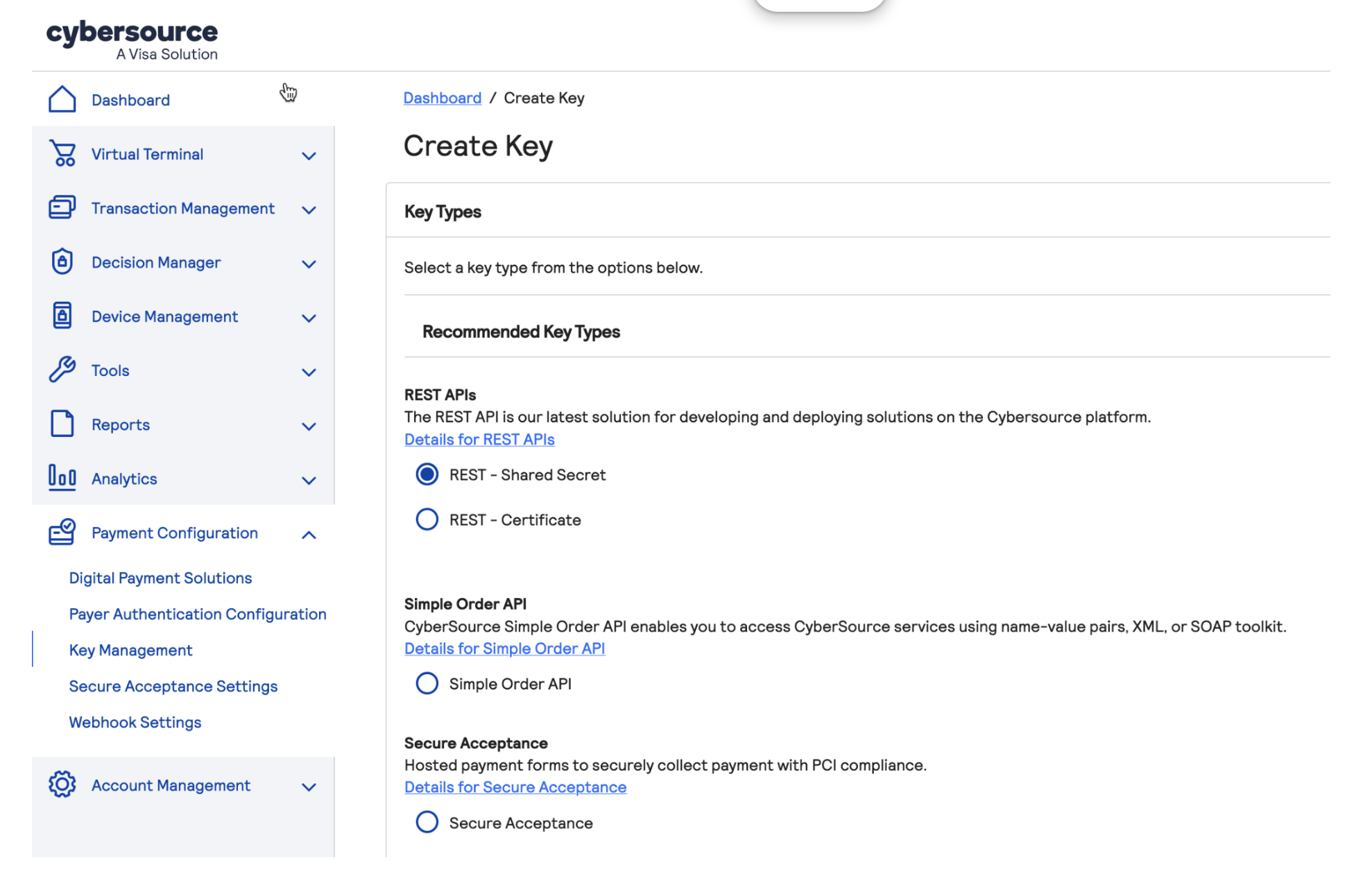
- For the next step, navigate to Key Management and generate a new secure acceptance key by clicking Generate key
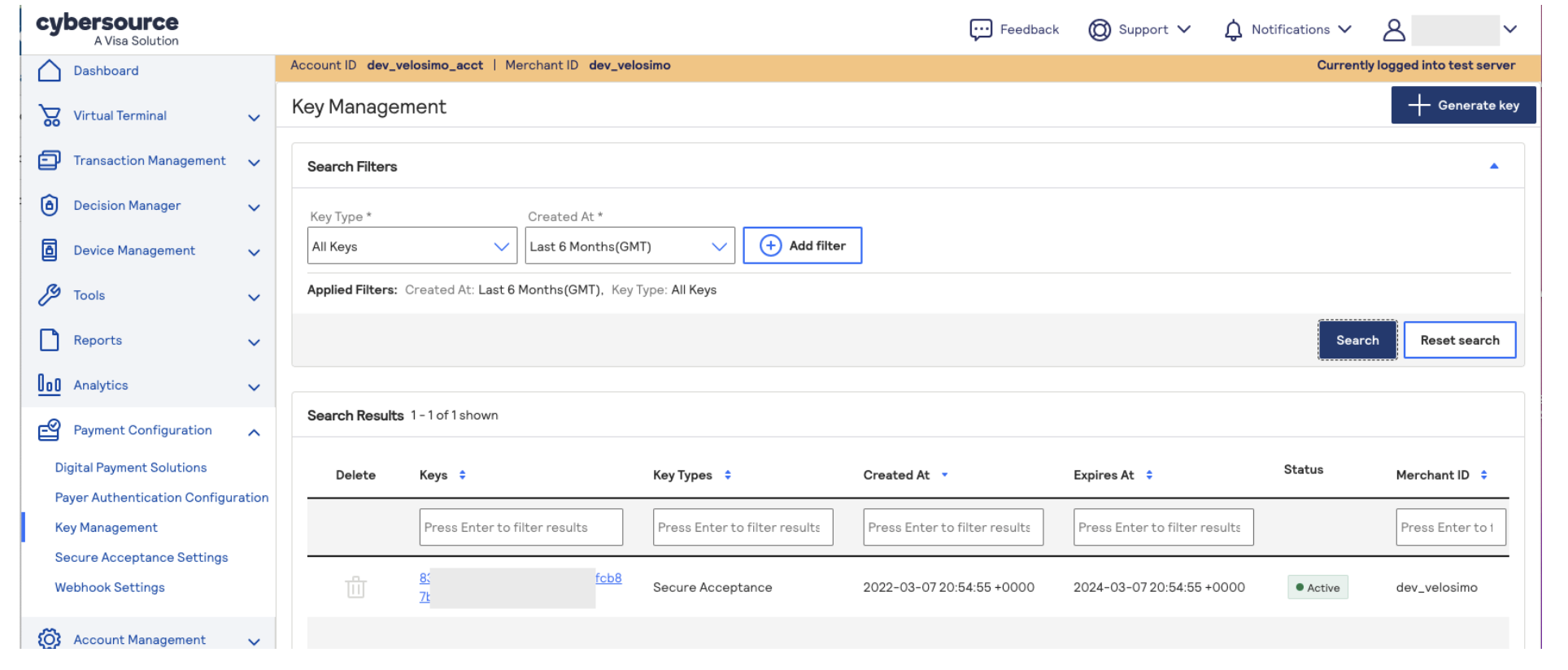
- Generate Key using the REST - Shared Secret option.
-
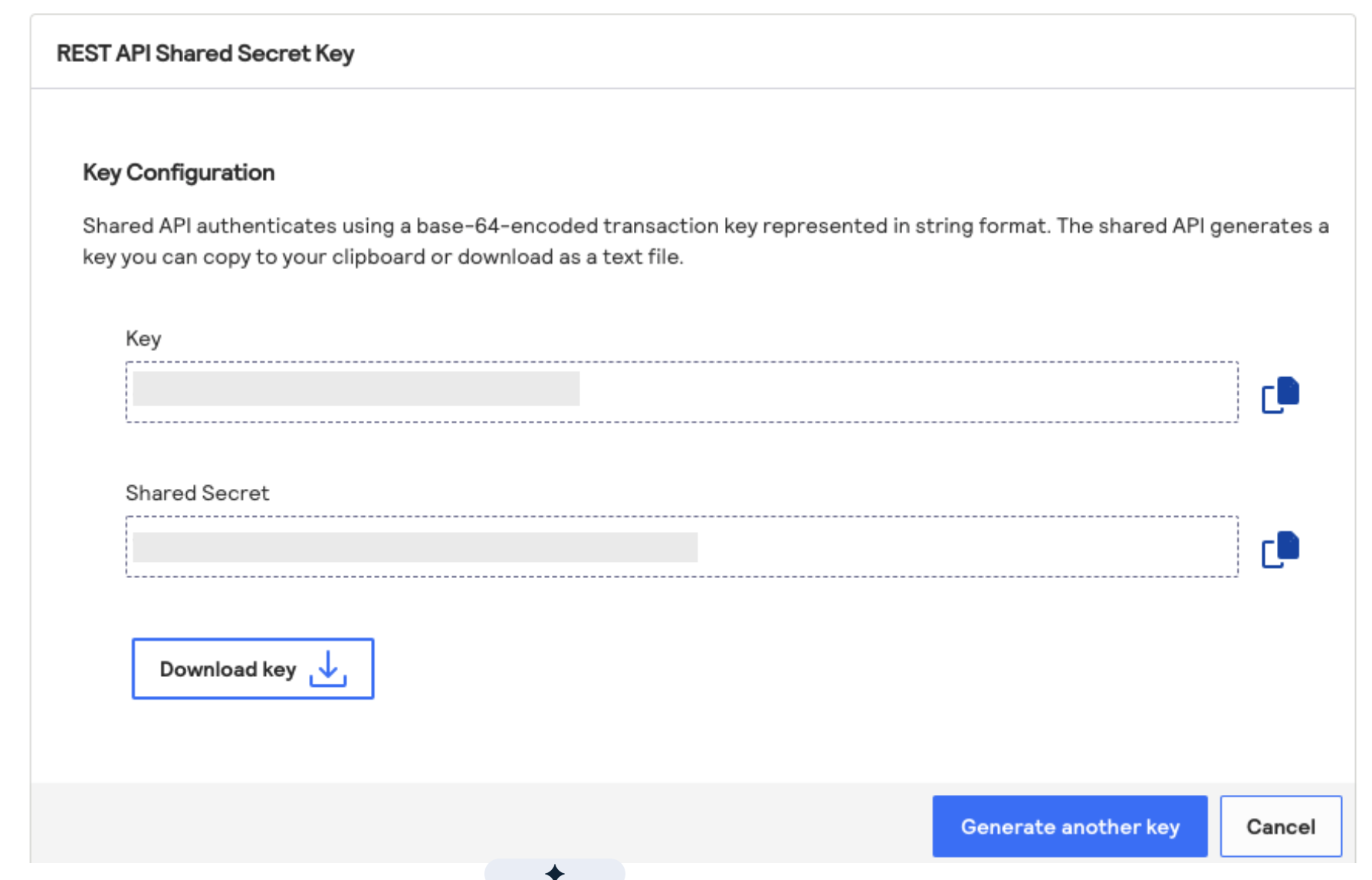
Copy the Key and Shared Secret for later use in Velosimo for the API Key and Shared Secret Key values.
-
Meet with your Velosimo Customer Success Manger to complete the setup and configuration in Velosimo with the values you have captured during this process.
Updated about 2 months ago
Did this page help you?